This article will provide a solution to help you send a payment link to customer on Odoo Pos payment secreen.
Limitation of Odoo
- Starting from Odoo 17, Odoo has introduced an Online Payment feature in the Point of Sale. With this feature, customers can scan a QR code and complete their payment efficiently.
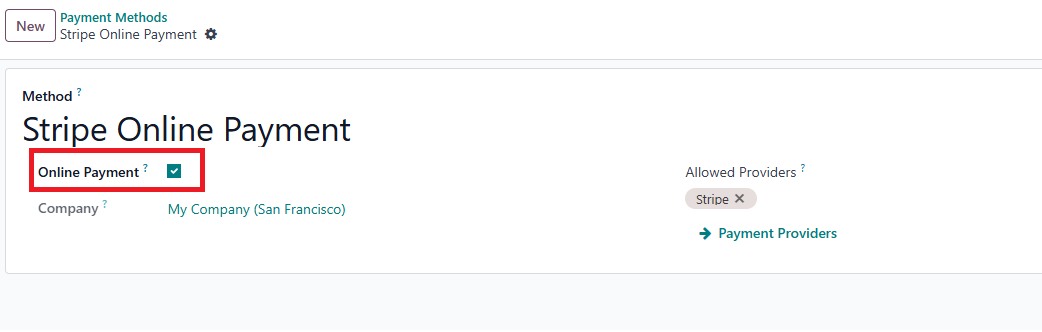
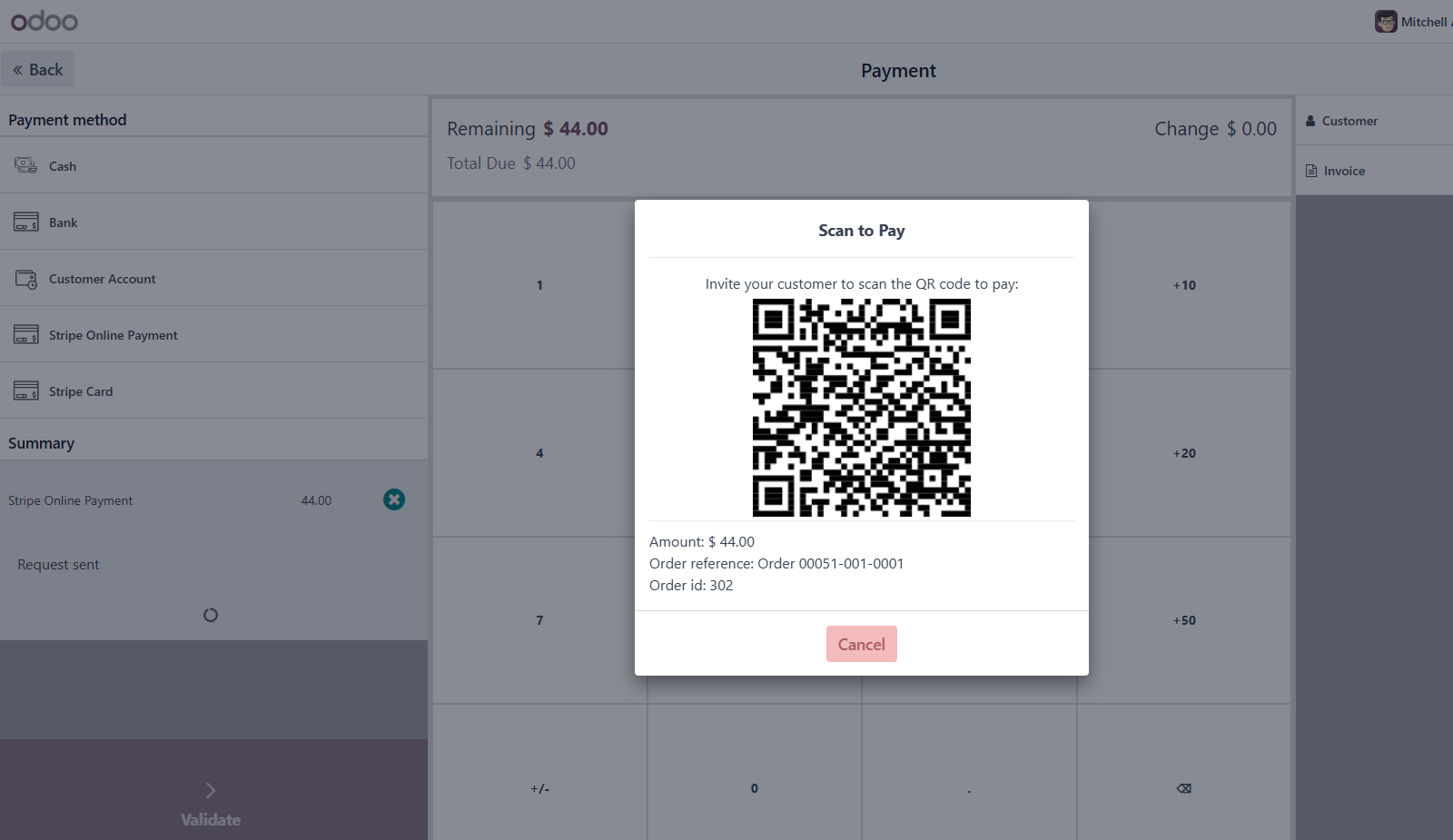
- This feature has the following drawbacks:
- The cashier must wait for the customer to complete the payment before proceeding with the next order.
- If the customer is not at the counter or it is a phone order, the customer cannot scan the QR code to make the payment.
Solutions
- With our solution, the Pos online payment feature is enhanced.
- Allows the cashier to send a payment link to the customer’s email.
- The cashier can proceed with the next order without waiting for the customer to complete the payment.
- The order will automatically be validated once the customer completes the payment.
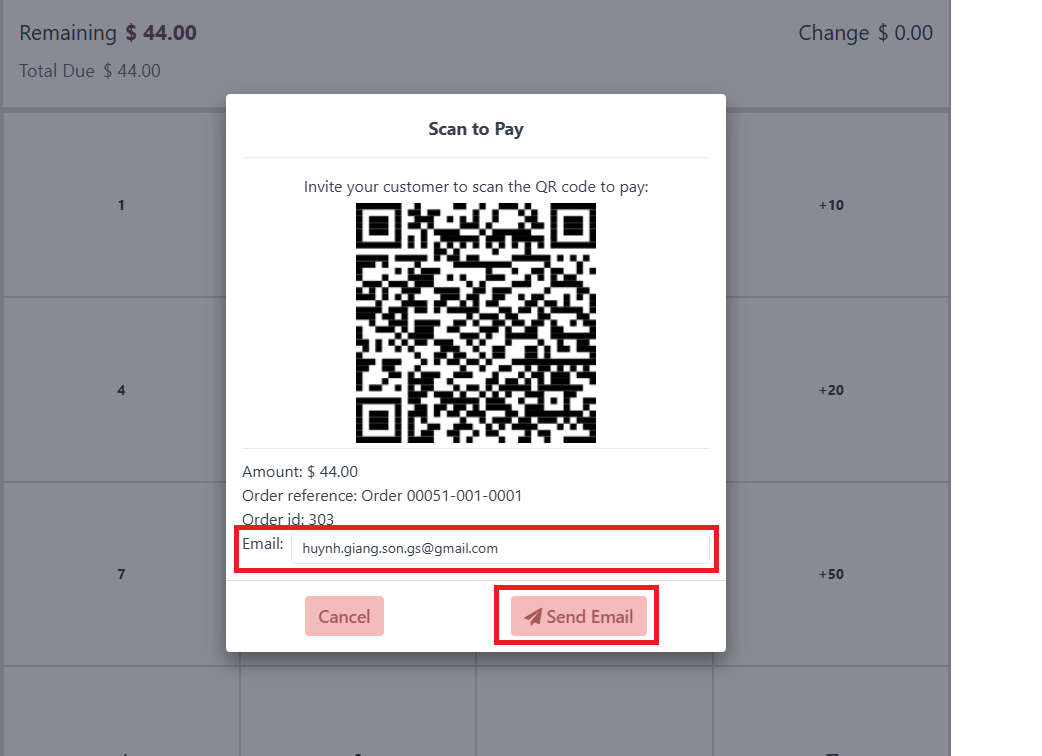
Send Pos payment link via email
- Customer will receive an email which included payment link.
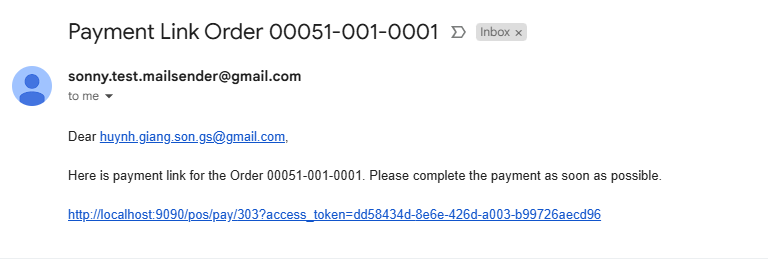
Pos payment link is included in customer's email
Purchase App
- You can purchase this app from the link below. Or send me an email to get a best price. huynh.giang.son.gs@gmail.com
https://apps.odoo.com/apps/modules/19.0/pos_payment_link_sending