Article overview
This article will provide an intelligent solution to calculate delivery price rule for sales orders.
Detailed content
Limitation of Odoo
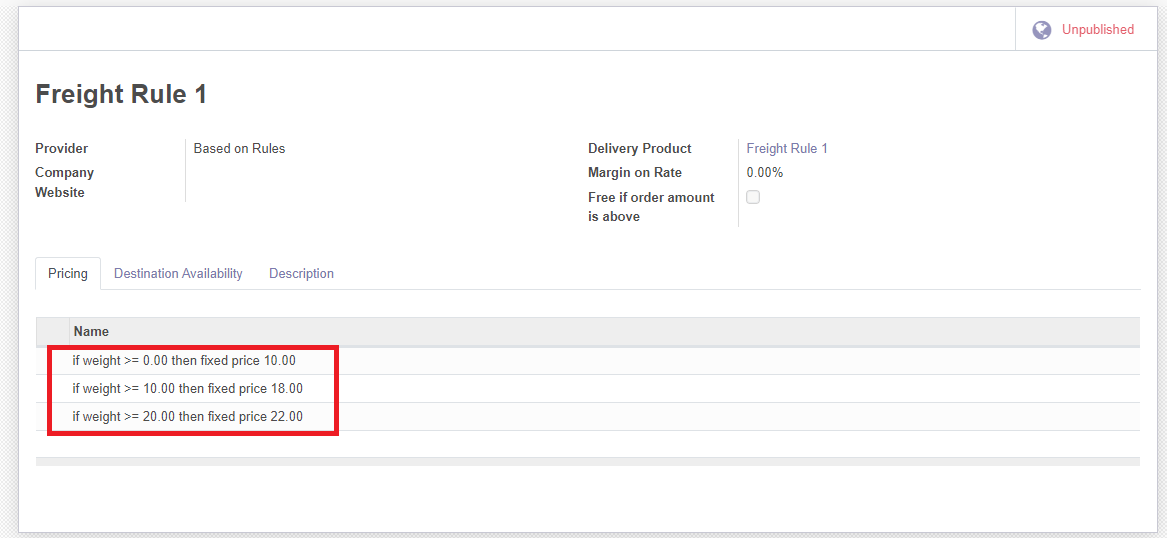
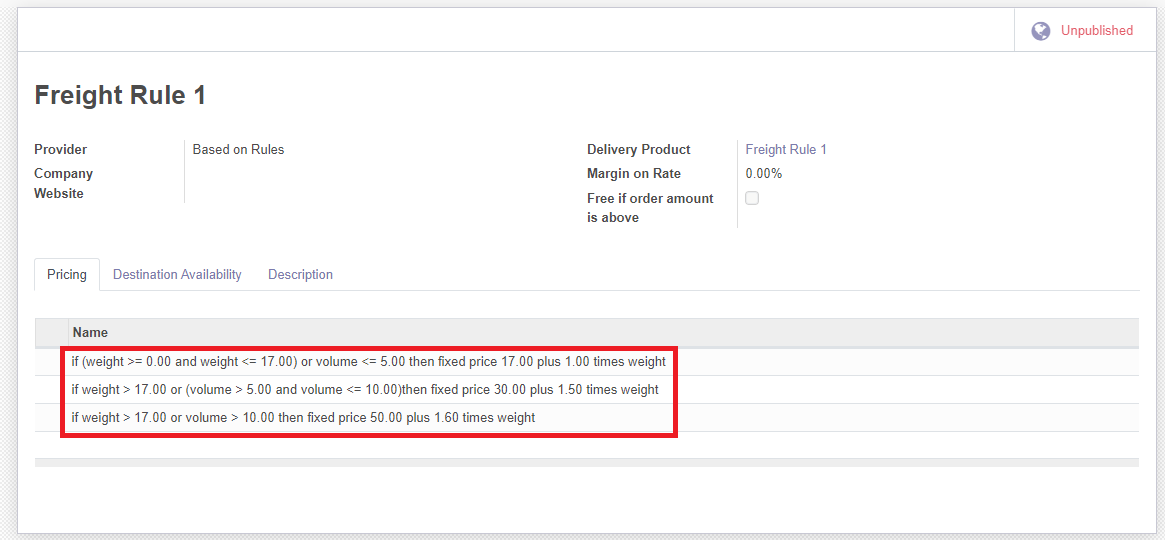
- For example, we have delivery price rule like this image.
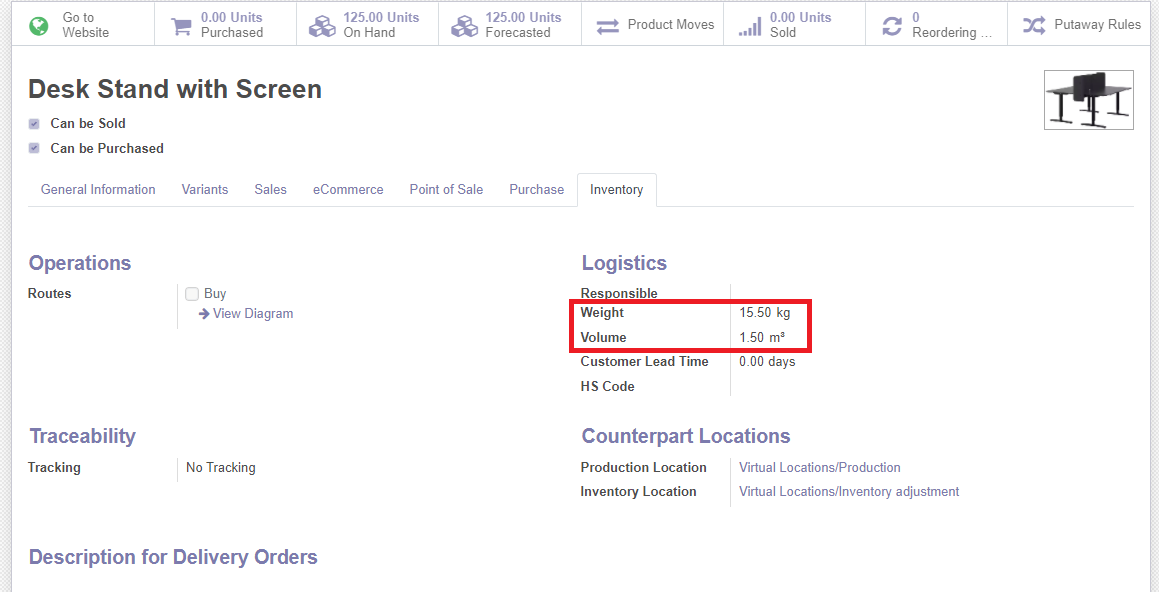
- The "Desk Stand with Screen" product has a weight of 15.50 kg and a volume of 1.5 m³.
- Create a Sales Order with 2 units of "Desk Stand with Screen".
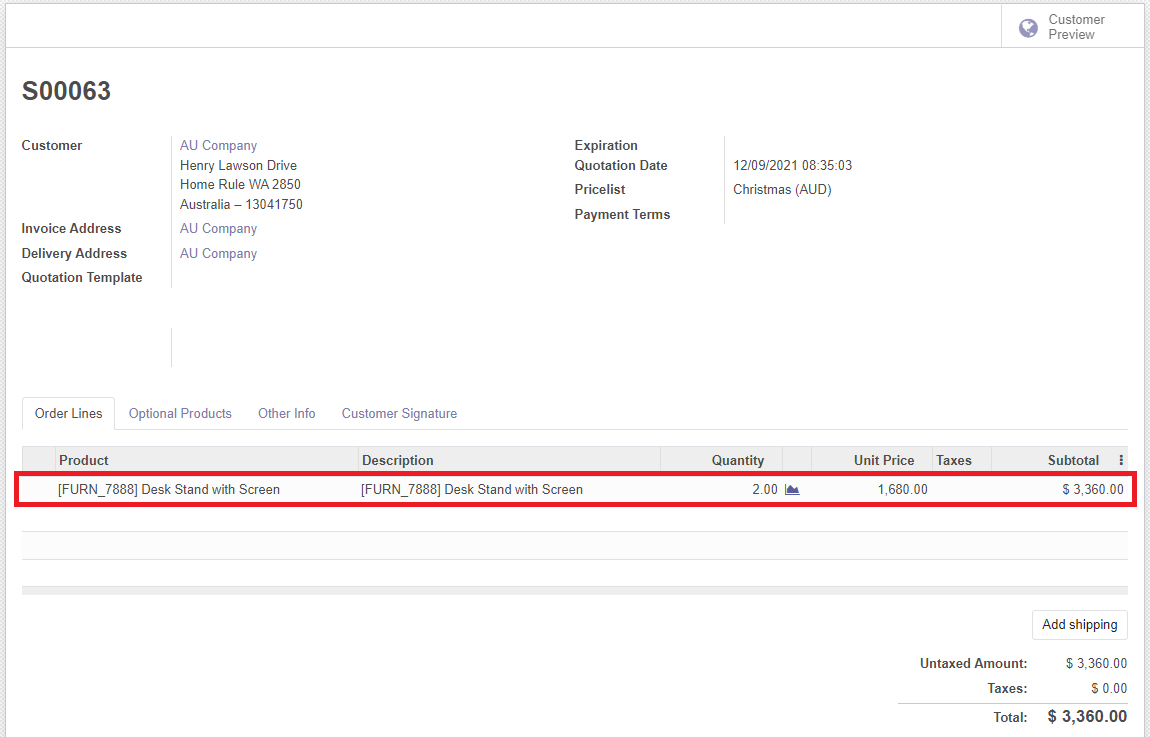
- The total weight of the sales order is 31 kg.
- According to the delivery price rule, the delivery charge should be $22. However, in Odoo, when it evaluates the delivery price rule line by line, the first line that matches the condition is selected, resulting in a delivery price of $10. This delivery price is incorrect. This represents an unreasonable error in Odoo.
Solutions
We offer a more intelligent solution that allows you to define delivery price rules more intuitively and with additional conditions.
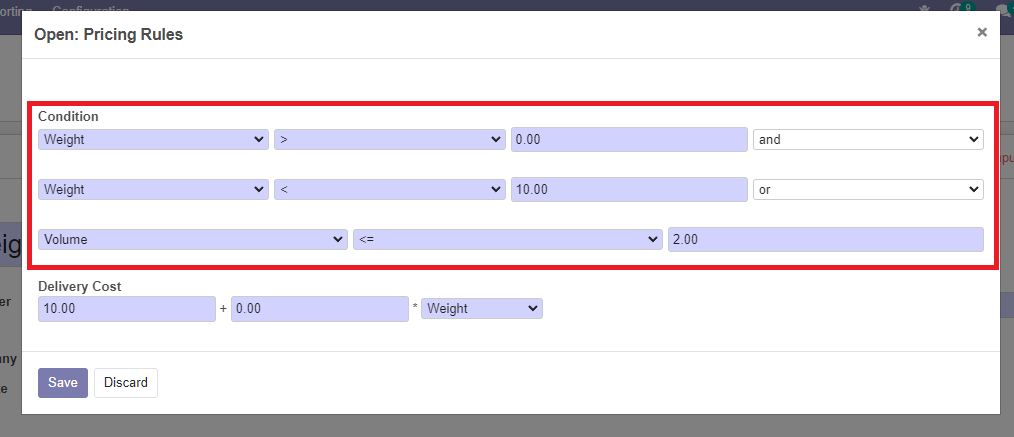
Use 2 combine condition.
- From the delivery price rule mentioned above, you can improve the price rule by adding one or two additional conditions.
- And you will have the following price rule lines.
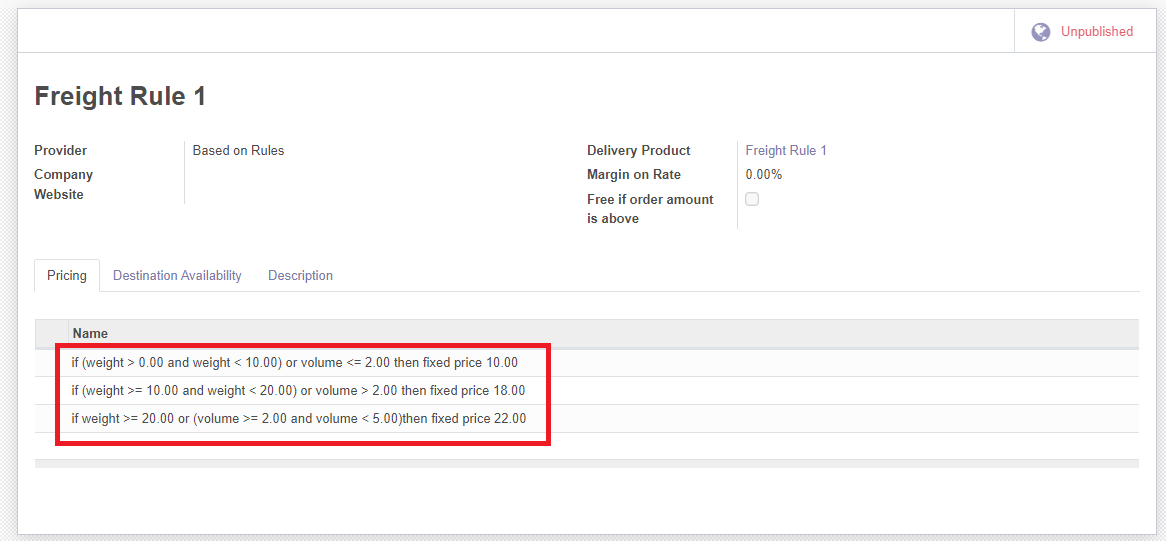
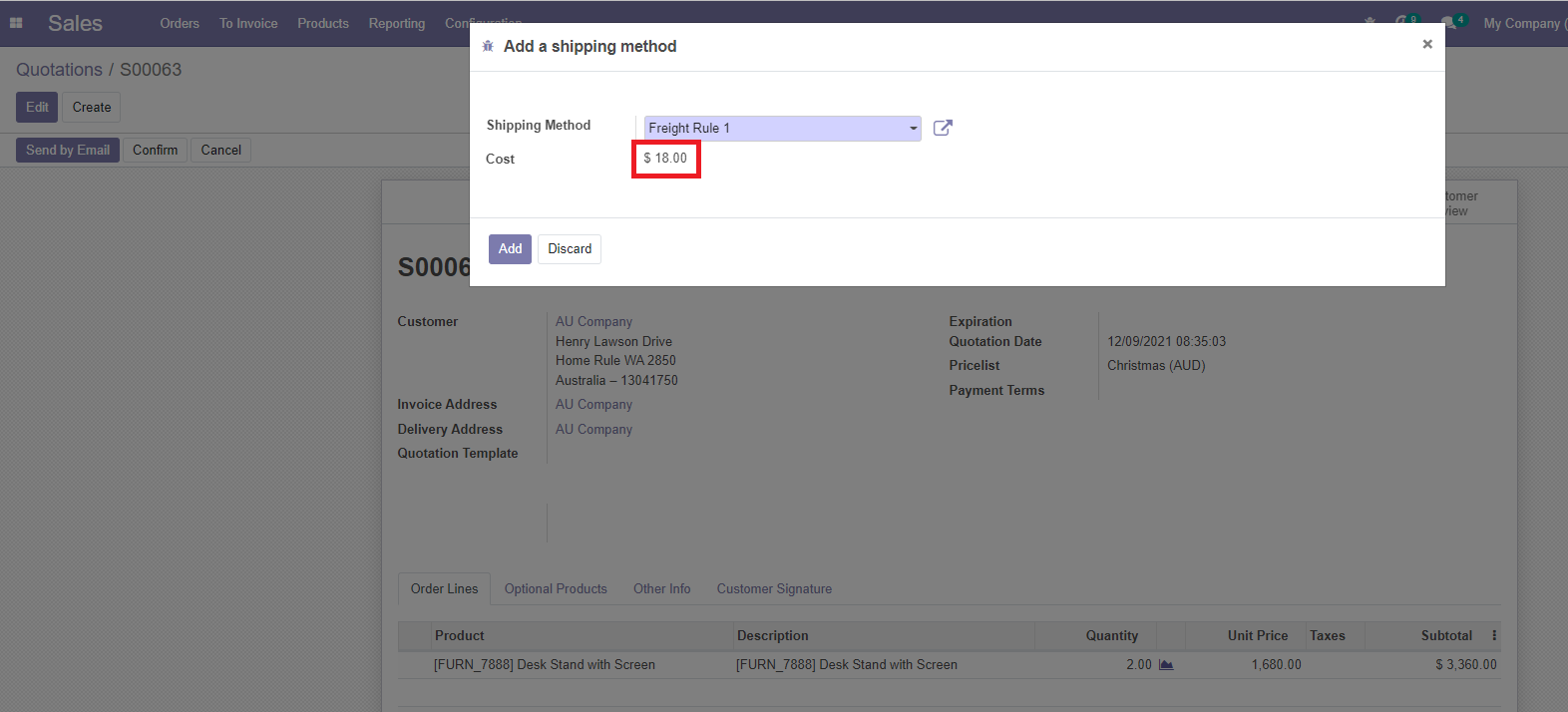
- Now return to the sales order and add the shipping. The delivery price will be $18 because the total volume of the sales order is 3 m³, which matches the second rule.
Use "Additional Weight" and "Additional Volume" in variable factor.
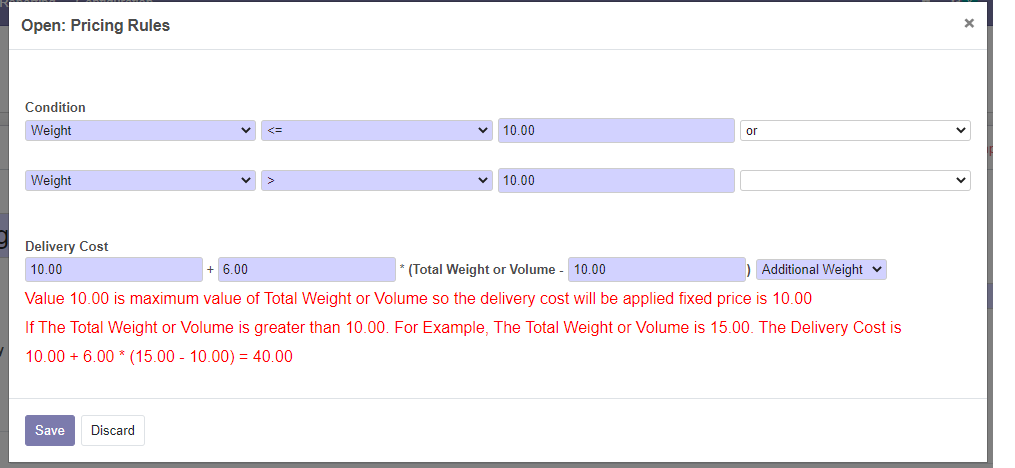
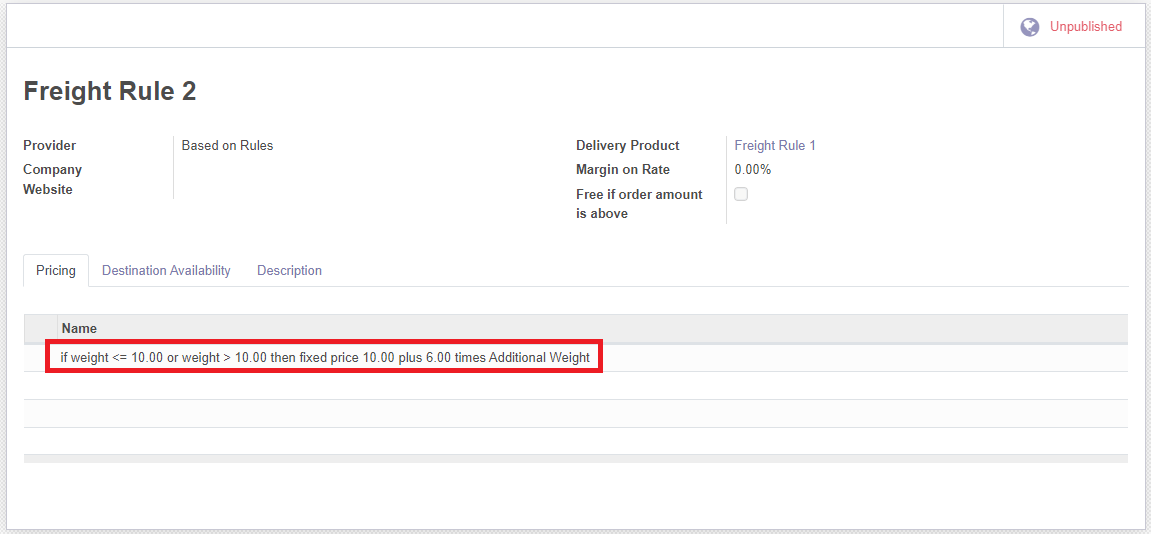
- For example, consider the following delivery rule scenario:
- If the total weight of the order is 10 kg or less, the delivery cost is a fixed $10.
- If the total weight of the order exceeds 10 kg, the delivery cost is $10 plus the additional weight multiplied by $6.
- By default, Odoo cannot handle this delivery rule. However, with our solution, you can achieve this using the "Additional Weight" variable factor.