This article will provide a solution to apply multiple pricelist on Sale Order.
Limitation of Odoo
In Odoo, each Sale Order is applied with a pricelist, and the unit price of the sale order line is computed based on this pricelist.
In fact, you might want to apply multiple pricelists to a single sale order. For example, in a sale order with Product A and Product B, the unit price of Product A is applied from the sale order's pricelist. However, for Product B, your customer wants to match the price with your competitor and desires a better rate.
Odoo does not provide a tool that allows you to check the unit price from other pricelists within the sale order, while also ensuring that the unit price is computed based on the quantity.
Solutions
We offer a solution that allows you to check the unit price from different pricelists on the sale order line, with the unit price being computed based on the quantity of the sale order line.
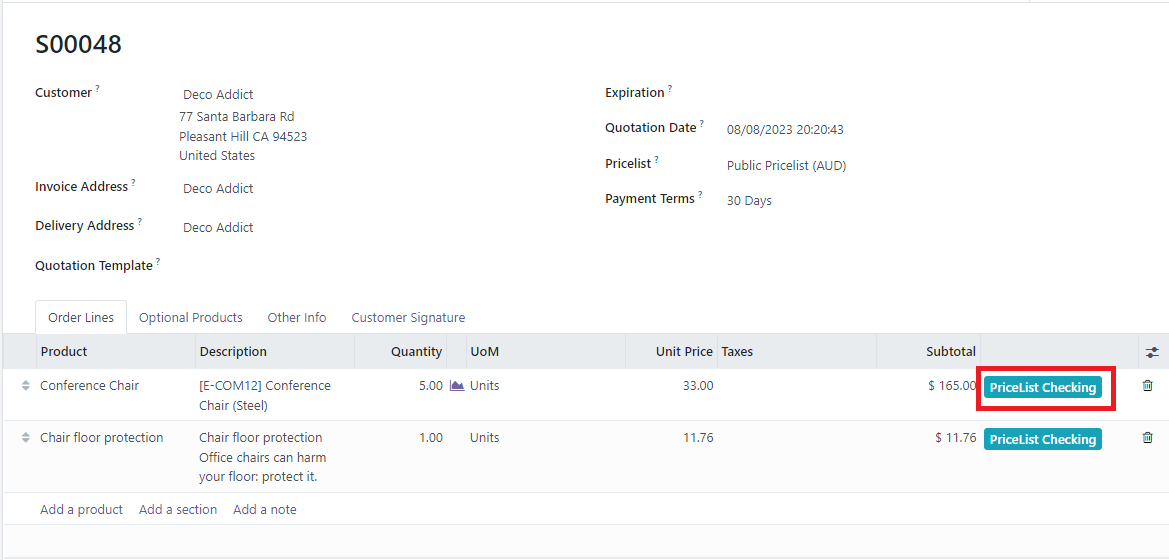
Check pricelist on sale order line.
- If you click on "Pricelist Checking" in the frist order line, you will see all unit price of pricelist
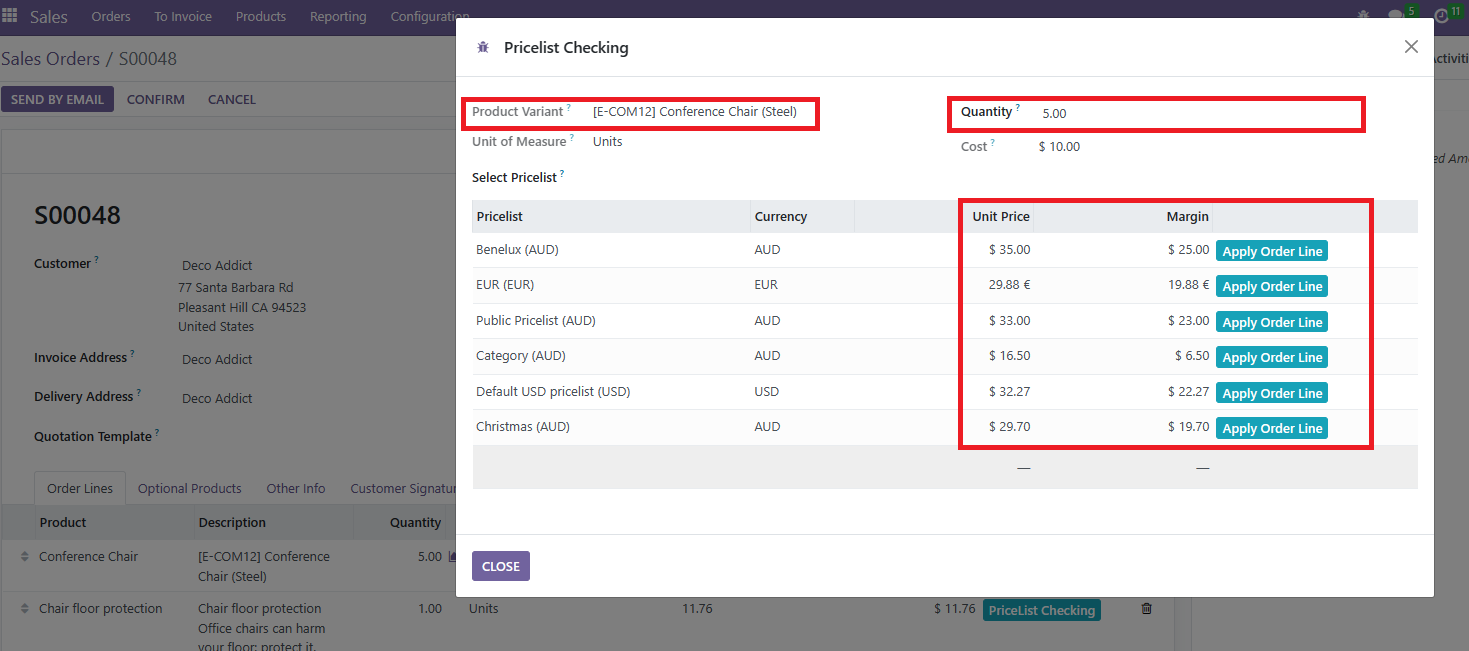
- If you change the quantity, the unit price will be recalculated.
- You can select the pricelists you want to view. For example, you can choose to view two or three pricelists. This will help you easily compare the unit prices across the selected pricelists.
Apply unit price from pricelist on sale order line.
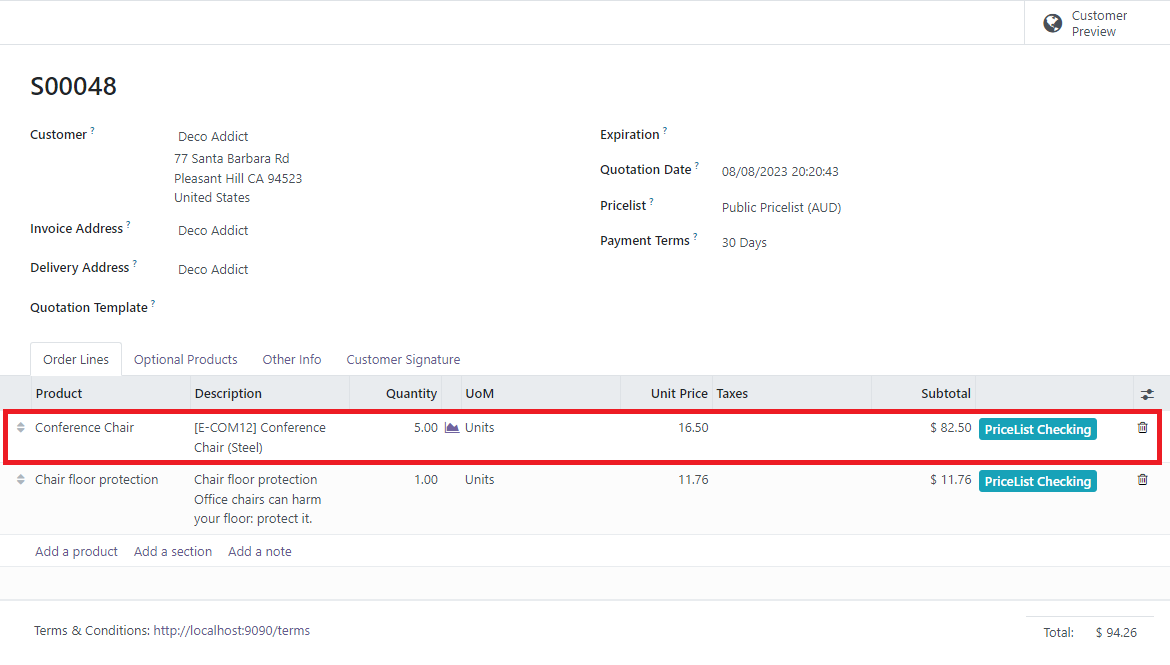
- If you click on "Apply Order Line" on "Category (AUD)" pricelist line, the unit price $16.50 will be applied for sale order line.